
UAN Employment History Verification: Confirm Work Records Instantly
UAN employment history verification helps businesses check EPFO records, validate joining and exit dates, and streamline background checks.
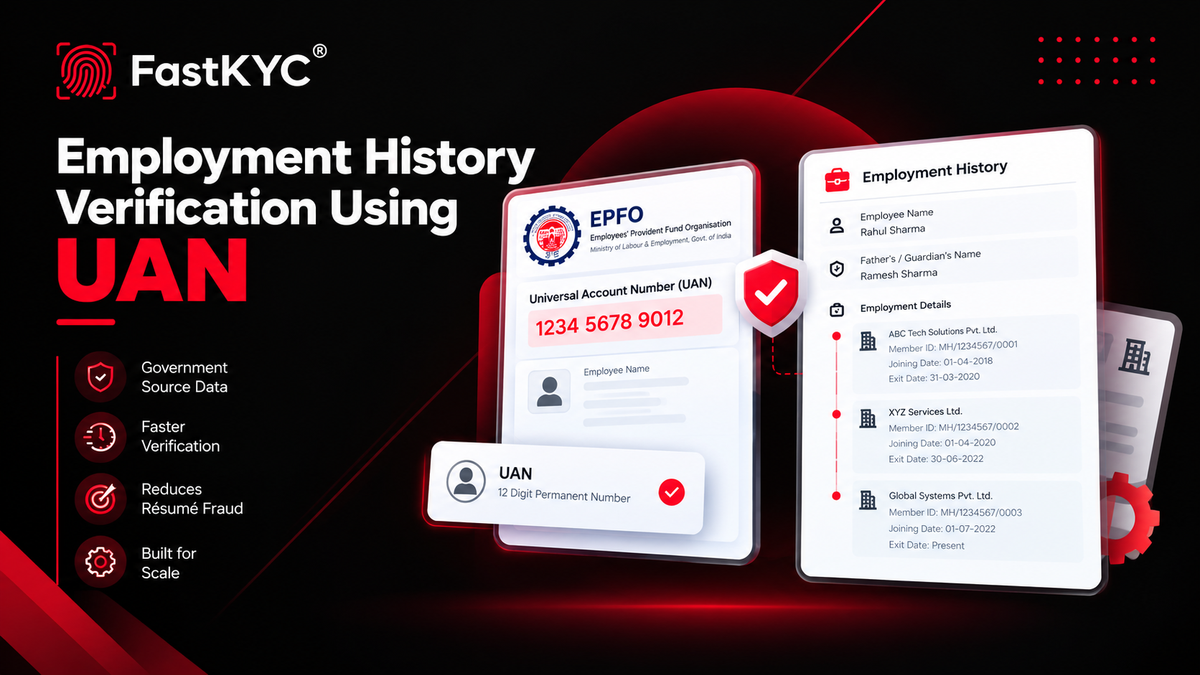
A UAN is more than a PF number. It holds a person’s complete formal employment history across every job where PF contributions were made. Here’s how businesses can use it to verify work records quickly and accurately.
Every formal employee in India who contributes to the Employees’ Provident Fund gets a Universal Account Number (UAN) from the Employees’ Provident Fund Organisation (EPFO). This single 12-digit number stays with the person for life and links every Member ID created by different employers. When you verify employment history with a UAN, you get a government-sourced timeline of establishments, joining and exit dates, and related details — not just what appears on a resume.
What is a UAN?
UAN stands for Universal Account Number. It is a permanent 12-digit number issued by EPFO that acts as an umbrella for all PF Member IDs allotted to an individual across different jobs.
- It never changes, even when the person switches employers.
- Each new employer creates a fresh Member ID and links it to the same UAN.
- The UAN is the key to the EPFO Unified Member Portal, passbook, claims, transfers, and service history.
Because employers file Electronic Challan cum Returns (ECR) against the UAN, the records reflect actual PF contributions and are therefore a strong, independent source of employment evidence.
Why employment history verification matters for businesses
Common use cases include:
- Background verification and pre-employment checks
- Detecting résumé fraud or inflated tenures
- Spotting overlapping employment (potential moonlighting) when contribution periods overlap
- Lending and credit underwriting (confirming stable employment and income source)
- Staffing, HR, and payroll onboarding
- Compliance and risk checks in regulated industries
- Reducing manual HR reference calls that take days or weeks
Traditional verification often relies on calling previous employers, waiting for certificates, or trusting self-declared details. UAN verification pulls data rooted in official PF contribution filings, making it faster and more consistent at scale.
What information does employment history verification provide?
When you verify a UAN, you typically receive structured details such as:
- Employee name (as registered with EPFO)
- Guardian / father’s or mother’s name
- Member ID for each employment stint
- Establishment (employer) name
- Date of joining
- Date of exit
This gives you a clear, sequential view of formal employment periods linked to the UAN.
How Businesses Use Employment History Data After Verification
Once you receive the employment history, the real value comes from how you use it:
- Résumé matching — Cross-check claimed job titles, company names, and tenure against the official EPFO records.
- Gap analysis — Identify unexplained gaps between exit and joining dates.
- Overlap detection — Flag cases where contribution periods from two different employers overlap (possible dual employment).
- Risk scoring — Feed tenure stability and number of job changes into lending or hiring risk models.
- Audit trail — Store the verified response as part of the candidate’s or applicant’s compliance record.
This turns a simple verification into an actionable decision layer for HR, lending, and compliance teams.
How to verify employment history online ?
Through the official EPFO portal (for individuals)
1. Go to the EPFO Unified Member Portal.
2. Log in with the UAN and password (OTP authentication on the registered mobile number is required).
3. Navigate to the Service History section.
4. Review the list of establishments, Member IDs, dates of joining and exit, and related EPF/EPS records.
Members can also download the service history for their own reference. This is useful for personal checks or when a candidate voluntarily shares the details, but it is not practical for high-volume business workflows.
Through an API
For businesses that need to verify large volumes of candidates or applicants, an API is far more practical.
You send the UAN (with appropriate consent) in the request and receive the structured employment history in the response - ready for automated onboarding, background verification, lending, or HR systems.
With FastKYC, businesses can integrate UAN-based employment history verification through an API, making it easy to add this check to KYC, onboarding, or verification flows.
Limitations to keep in mind
- Only formal employment covered under EPF appears. Freelance, self-employment, or informal work is not visible.
- Older or unlinked Member IDs (especially pre-UAN legacy accounts) may sometimes be missing until the member or previous employer corrects the records.
- Date of exit may show a placeholder if the employer has not yet marked the exit.
- International experience falls outside EPFO scope.
- Employment Verification
- Background Verification
- HR Onboarding
- Employment History